The Brewery Artwalk
Ooh, and if you happen to be in Los Angeles, I’ve got another recommendation for you.
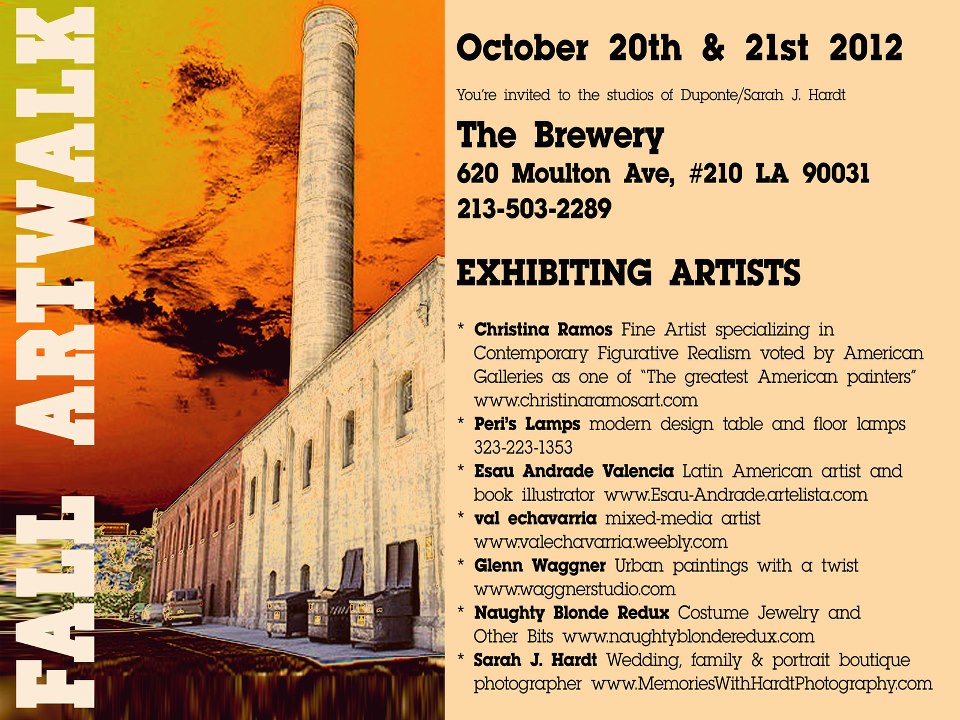
Back when I lived in Los Angeles I used to show my paintings, and sometimes some photographs as well, out of Theory Labs at these. The only downside was not being able to explore all the other areas when I had to stay with mine. Rarely do you ever get that much art into one area like that, and The Brewery is really an interesting exploration of it’s own right to begin with. I can’t recommend this one enough.
Objectify This
Reminding those of you in the Chicagoland area, that Objectify This opens tomorrow at the Design Cloud Gallery.

Translation – The narrated version is up and public
Last week I got permission at Sapling to post the new animation. I went with the narrated version for now. I may post the silent one at a later date.
I learned a lot putting this together. I learned a good bit about working with cloners in Cinema 4D, and got to practice with C4D’s shaders, and even touched on coding a bit with trying to get that mRNA strand to move the way I wanted it to.
All in all, I think it came out really well, both versions actually. I’m proud of it. And I’m really enjoying working with such amazing and knowledgeable folks over at Sapling. I learn the coolest stuff from them, all the time.
Record Breaking DNA Data Storage This Month
Ok, wow. Apparently we’ve got people who’ve figured out how to use DNA as basic data storage. It sounds like they’re setting up a binary system, something like ones and zeroes dependent on when you have adenine and thymine pairs or when you have cytosine and guanine pairs. And with just that, geneticists George Church and Sriram Kosuri at the Wyss Institute for Biologically Inspired Engineering in Boston, and Yuan Gao, a biomedical engineer at Johns Hopkins in Baltimore have apparently managed to record a whole book, complete with eleven illustrations onto a strand of synthesized DNA.

Nature Magazine has the story here.
Or you can go straight to the scientific publication if you have access here.
Pixels and Whatnot
A lot of people get confused when you bring up things like aspect ratio, resolution, image size, and all the related terminology around those things. To be honest, sometimes I do too, and I work with this stuff all the time.
So let’s begin with image size. I think that most people generally understand basic measurements when they are not in the context of the other components I’m talking about tonight. Well, the good news is that a given number of inches or centimeters is still a given number of inches or centimeters. And the only time you’re going to see a big fluctuation in size is when resolution comes in to play.
Resolution refers to how many units of information are packed into a given increment of size in an image (or a video). You’ve heard the expression dots per inch (dpi) or pixels per inch (ppi). Well if someone gives you the size of an image in pixels, then you’ll have to know the resolution to know how big it is in inches or centimeters. If an image is 100 pixels by 100 pixels, it will be one inch by one inch at 100 ppi, or just a third of an inch by a third of an inch at 300 ppi.
72ppi is generally thought of as the standard screen resolution, but the truth is that most monitors today actually display something more like 100ppi. This is why when you create an image in a program like Photoshop that allows you to say that you want something to be a certain measurement in inches, it often displays a little bit smaller on your screen. It’s just taking less physical space to display the allotted number of pixels in the image. So long as everything is working right though, the same image should print still print to size, because the image’s settings contain the information that it is to be printed at a resolution of 72dpi. Usually, when one is intending to print though, they use a higher resolution. 300dpi is a common standard for color printing. And surpringly (at least it was to me) black and white images are often printed at even higher resolutions. And line art in particular is generally done at a very high resolution. I think that back when I was in grad school we were keeping our line art files at 1200dpi. Using such a high resolution ensures a cleaner line. It also takes up more space on your computer, but such are the sacrifices we make for art.
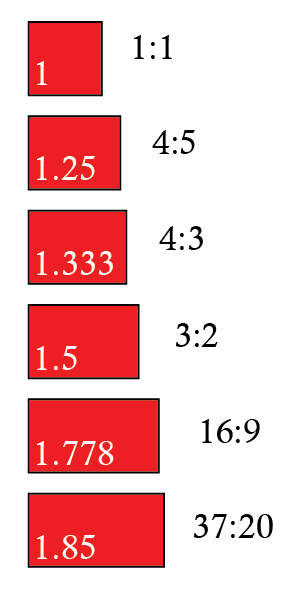
Lastly, let’s talk about aspect ratio. When people talk about aspect ratio, they’re talking about the basic shape of an image. I put together some quick images of some common aspect ratios to help illustrate this point.
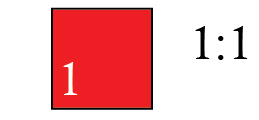
A 1:1 aspect ratio is your standard square. As far as common usage in imagery is concerned, you’re likely to run into this in medium format photography and internet avatars.
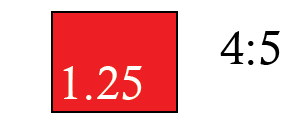
You’re probably most familiar with a 4:5 aspect ratio from 35mm photography. Think of your 4x5s, 8x10s, and 16×20 pictures. To this day, most picture frames are made to fit this shape.
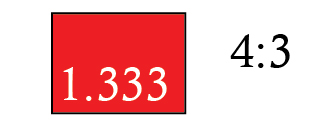
You may have noticed that most modern digital photographs are longer than your old film photographs (It can be a real pain when you want to frame something.) That’s because most digital cameras shoot at a 4:3 aspect ratio. This is also the shape of many laptop screens (at least the older ones) which is why it’s also the standard shape for Power Point presentations, which are generally done at 1024x768px or 720x540px.
Note* You would use fewer pixels if you didn’t need as high a resolution.

720×480 was the old standard for television. That’s a 3:2 ratio. Another common video size is 1440×1080, also a 3:2 ratio. Technically that would make it HD, which stands for high definition. Definition is another way of saying resolution. But over the past decade, the expression HD has taken on the connotation of also being widescreen.

Modern HDTV is made widescreen, specifically it’s created at a 16:9 ratio. If you’ve ever shopped for an HDTV, you probably noticed the numbers 720 and 1080 come up a lot. That refers to whether you’re getting a resolution of 1280×720, or 1920×1080.
Note* The part about the P or I that gets attached to those numbers refers to whether your image uses progressive or interlaced fields. That’s a video specific thing, and it has to do with how your television transitions from one frame to the next.

This is the aspect ratio for a lot of what you see in the movie theaters. As I understand it, it was a standard developed by Universal Pictures in 1953. Not all movies are set to this ratio, but many are. I’m mostly just including it to point out that widescreen movies in theaters are still usually wider than your widescreen HDTVs at home.
Now some of you may be wondering about the white numbers in the boxes. One way that you can figure out your aspect ratio is to divide the length by the height.
3/2=1.5
720/480=1.5
and so on
If I were a better mathematician, I would write the relationship between these things down for you in mathematical formula. Instead I’m me, so I’ll just tell you to think about the relationship between all of those numbers. An image takes up a certain amount of actual space (image size), and it is made at a specific shape (aspect ratio), and it can be packed lightly or fully with dots or pixels for each increment of that space it takes up.
I would be remiss if I didn’t tell you that there are times when the math doesn’t quite add up, and sometimes you’ll find that your pixels aren’t square themselves. And if you get into that, it’s just more math. Sometimes just knowing that that happens is a good enough leg up to get around any problems that might cause though.
It’s funny, I just started thinking how maybe the first time we ever start doing this kind of math is when we are kids with writing assignments. Whether it’s the one page assignment that we wrote with a little bit bigger handwriting to fill up a whole page with fewer words, or maybe we just started shaving in on our margins, changing the shape of the page. Or that 500 word assignment written with tiny handwriting to save a sheet of paper. We know this stuff. It just gets muddled when too many conflicting numbers get thrown around.
This writer may be getting a bit muddled now as well, with the night getting later and I’m still not sure if I’ve said this all well enough yet. I’m going to have to bid you all goodnight, and I just hope that this has been helpful and not left anyone more confused.
**Addition**
Since I posted this the other night I realized that the blue border that the WordPress template automatically puts around images is rather distracting from doing an actual shape comparison up there. So I’m including a fuller image here below for easier comparison.
Bursting, by Sara Egner
Please allow me to present the new painting…
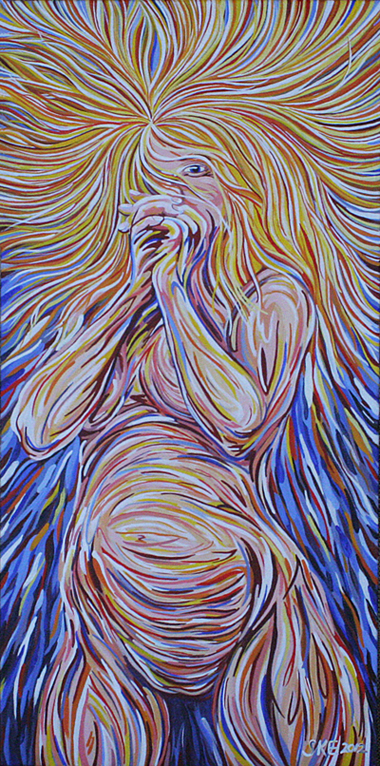
I’m calling it, “Bursting.”
Objectify This
Many of you reading may be familiar with the website streetanatomy.com. It’s run by Vanessa Ruiz, a fellow alumni of UIC’s Biomedical Visualization program. And she is putting together what looks to be an awesome show out in Chicago next month.
I think this one is going to be well worth checking out!
Native Files
Not too long back I was doing a little file organizing, and someone made a comment about grabbing the native files. It’s a familiar expression, but this time I got to thinking about the idea of your working file, or the file within a program as being the native file and how I never think of them that way. When I am creating digital art, my working files are just that. They are the means to the end. Just like when I work on a canvas, none of my preliminary sketches or photographs are anything but blueprints.
It occurs to me that thinking of things this way, does afford me a certain perspective on problem solving and flexibility to get to the final product. But it also occurs to me that this perspective may be part of the reason why I struggle so with file organization. Perhaps in this digital age, there is a greater benefit in thinking of these program files as native files, and holding on to that flexibility that layers within a single digital file can offer. In that perspective, the art becomes the whole of the organization and the possibilities for output.
Just recently I finished putting together an animation for use in an online homework question. The following week, I made a lot of changes to it for another presentation. Now, does that mean I made two animations? There are two distinctly different animation files now, but really it makes more sense to think of them as different versions. And really, for each version, I’m creating more than one file type to deliver to my employers. So with all of that variation, I can’t help but start thinking of the project as something more than any of the final outputs. It becomes the idea, and the aesthetic. It becomes the message. And those working files start to carry a different kind of weight.
Moving art in to a digital plane is such a game changer. And that’s just something that I’ve been thinking about a bit lately.
Anatomical Chairs
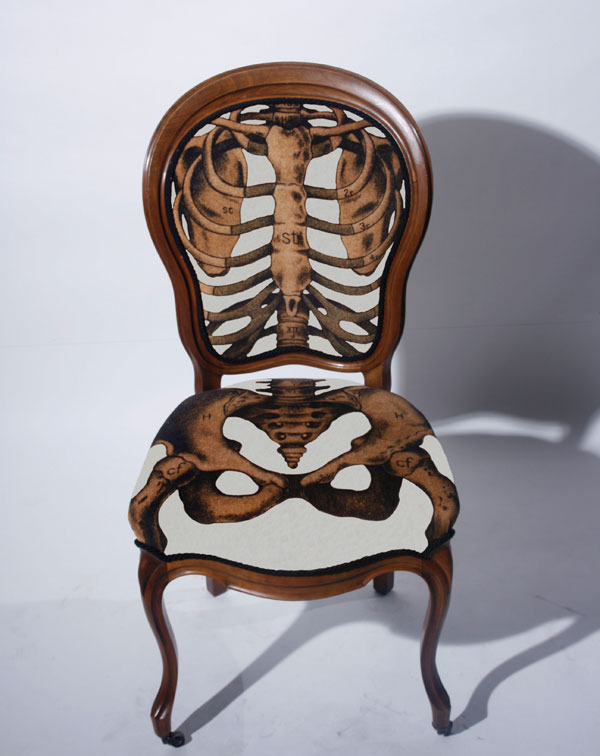
Sometimes my friends send me links to fun anatomy things. I have to admit that I’m rather enjoying Sam Edkins‘ anatomical chair idea. They’re pricey, but nifty.
work in progress
Still going with this one…
